
The CRM › Campaigns menu holds marketing: segments (whom to target), campaigns (subject, budget, members, sends, results) and attribution of won revenue. Everyone only sees the campaigns, contacts, leads and opportunities their role allows.
Segments
A segment selects accounts, contacts or leads:
- dynamic: criteria, recomputed on every read. The offered fields are a closed list (name, country, city, industry, headcount, status, source, score, owner, creation date, marketing consent, account health score when available, custom fields). Choose all conditions or at least one;
- static: a list of records added one by one from the segment page.
Values use the invariant format: number 1234.5, date 2026-10-20, several codes separated by commas, me for yourself. Texts are compared ignoring case and accents. Preview gives the count and the first records without saving.
A segment can be shared: other users read it with their own rights (they may get a different result); only its author edits it.
Campaigns
A campaign has a name, a code, a type, a status, a period, a budget, an actual cost, targets, and the consent purpose required for its sends (marketing offers by default).
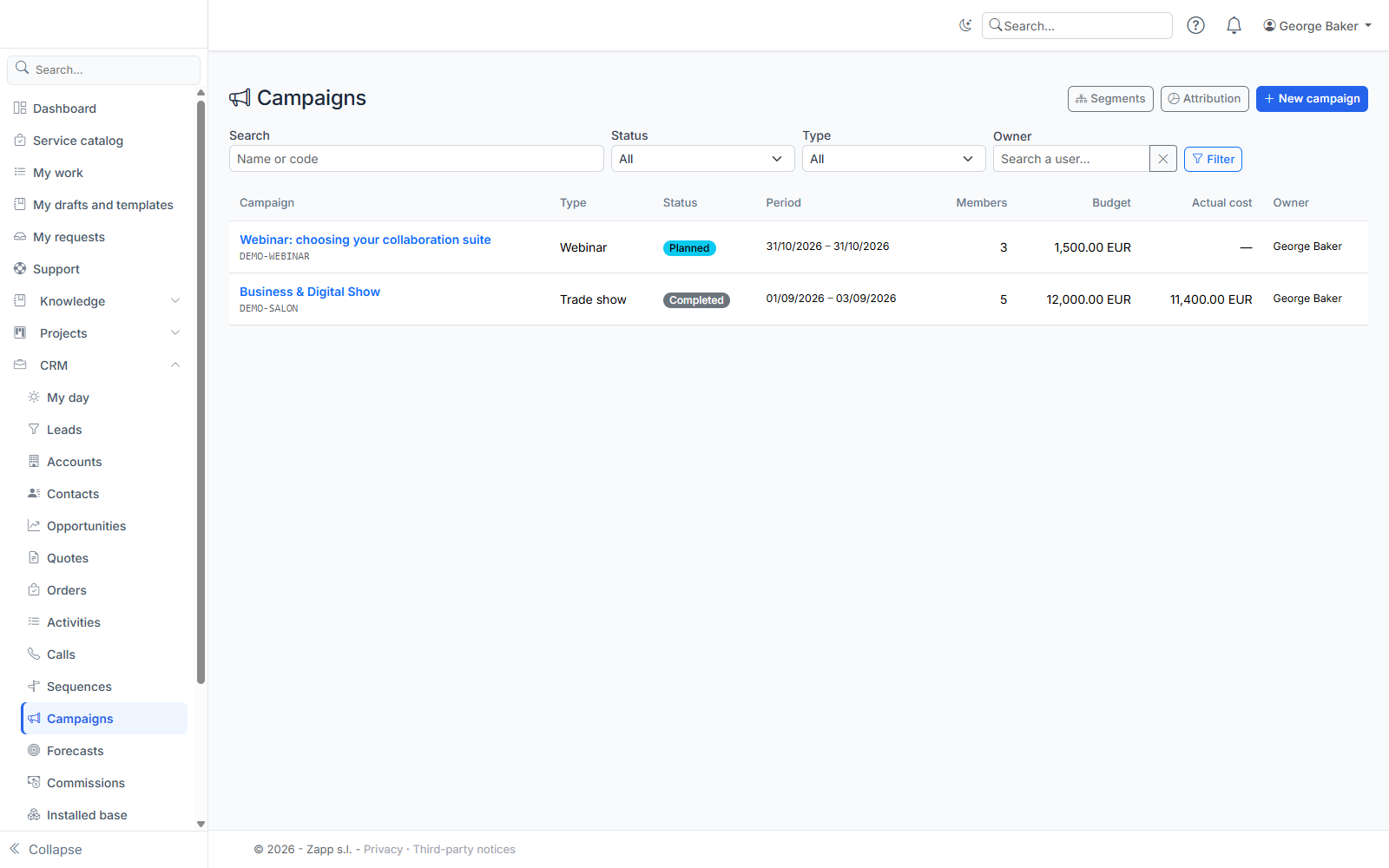
The code is set at creation: it is what you type in the Campaign field of a lead, an opportunity or a web form. Leads captured by a form linked to the campaign, and opportunities created when they are converted, therefore count for it. Codes typed without a matching campaign are listed below the campaign list, with a button to create the campaign.
Members
Add contacts one by one, or a whole segment (an account segment brings the contacts of those accounts). Each member's status follows email (sent, opened, clicked), responses, event participation, or unsubscription. Members outside your scope are counted, never named.
Bulk sending goes through the email marketing provider set up by administration (Brevo or Mailchimp); Portail ZAPP sends nothing itself. In the Email panel:
- enter the subject, sender and HTML content (the provider adds its unsubscribe link);
- Sync the list sends only members who have a legal basis for the campaign's purpose, by email; those who lost it are removed;
- Send syncs then sends; Refresh statistics reads sends, opens, clicks, bounces and unsubscribes.
An unsubscribe, complaint or hard bounce records a consent withdrawal on the contact or lead.
If the provider is still importing the list (Brevo imports in the background), sending is refused with a message: try again a few minutes later; nothing is marked as sent in the meantime. When a person exercises their right to be forgotten, their address is also removed from the provider's list.
Event participations
For a trade show, webinar or conference, record a person's invitation, registration or attendance by email address: it is linked to the existing contact or lead, otherwise a lead is created (source "event", campaign). Attendance becomes an activity in their timeline.
Event on a platform
If your administrator has set up the event platforms connector (Livestorm, Eventbrite, Zoom Webinars or Microsoft Teams webinars), the campaign record shows an Event card. Choose the platform, Browse events, then Link the campaign's event (or link it by its identifier). An event feeds only one campaign.
Registrants and attendees are then added to the campaign automatically, registrants who did not come move to "no-show" after the event, unknown people become leads (with marketing consent only if it was ticked at registration) and each attendance becomes an activity. Syncs run every 15 minutes; Sync now starts one immediately and the participations arrive a few moments later (likewise right after Link). A no-show detected by the platform never replaces a response already recorded, and a person whose data was erased is never recreated, even if the platform still has them registered. Unlink stops syncing without removing members already received.
Indicators
The page shows members, responses and response rate, leads (and converted), opportunities, open and won revenue, actual cost and return on investment (won revenue minus cost, divided by cost). Amounts in the base currency; deals without an exchange rate are flagged separately.
Attribution
Campaigns › Attribution splits the revenue of deals won over a period between the campaigns that touched them:
- first touch: everything to the first touch's campaign;
- last touch: everything to the last touch's campaign before signature;
- linear: equal shares between campaigns.
A deal is touched by its source campaign (code on the opportunity, or taken from the converted lead) and by its contacts' responses (role on the deal, or contact of the organization) before signature.